Posts

Moving to Canada

I'm going to immigrate to Canada, and the first step is complete – I have received a reference number from the FSW Centralized Intake Office. I had applied as Computer and Information Systems Manager due to my job position now (Project Manager) which I hold more than 5 years. The next challenge is an IELTS exam that I have to pass in the next few weeks.

Seven Ws (composing brief software requirements)

Quis, quid, quando, ubi, cur, quem ad modum, quibus adminiculis. (Who, what, when, where, why, in what way, by what means) Hermagoras of Temnos Quotation above is created by Hermagoras for defining seven "circumstances" as a way of the formulating or analyzing rhetorical questions. But it is useful for many other areas, like for composing brief software requirements. Sometimes it's essential for us to analyze the perspective project as fast as possible, without creating tremendous SRS, but merely ask few questions and begin to work. Especially, it relates to Agile Development, and can be easily used as a reference point for starting a project. Let us interpret these questions to ones of the sample meanings: Who will use that project? What kind of software does the project represent? When should the project be delivered to the end users? Where is the project intended to be used? Why would the project be successful? In what way is the project supposed to w...

Thunderbird Grammar Checker add-on

Image
Official Thunderbird Grammar Checker add-on: https://addons.mozilla.org/thunderbird/addon/14781 Back-end functionality is based on LanguageTool functionality (in particular, the add-on uses its webserver). Though it can work without any further customization, it is strongly recommended to setup a local LT server (see below), and change the add-on preferences to use your server. By default, the add-on uses the local server and falls back to public LT server (that can't handle the high load and can't guarantee the privacy). The grammar checking is available via Tools menu, the context menu and the corresponding toolbar button. Language and server settings can be changed using the add-on preferences: Supported languages : English (en), Dutch (nl), French (fr), German (de), Italian (it), Polish (pl), Romanian (ro), Russian (ru), Slovak (sk), Slovenian (sl), Spanish (es), Swedish (sv), Ukrainian (uk), Asturian (ast), Belarusian (be), Breton (br), Catalan (ca), Chines...

New articles

I have published several articles on eellc.ru website. I hope you'll find them useful and interesting: Software System Requirements Questionnaire SQL in large-scale systems Architecture of large-scale systems Django speed, stability and security The website doesn't allow to post comments, so you can leave your remarks, suggestions and complaints here. Enjoy!

Mini HOWTO: Create a PDF document from multiple images

Sometimes it is required to send someone multiple images. Of course, you can send these images as they are, or you can create and send an archive of these images. But it will be more convenient to send a PDF document. In that case the recipient can easily open the document and he/she will see these images in the sequence you assumed. There is a powerful software suite called ImageMagick . It provides various utilities for any graphics processing demands. Now we are interested in a convert utility. It has many useful features and it is really irreplaceable for the image batch-processing like in our case. The command for converting images is pretty simple: $ convert -define pdf:use-cropbox=true -density 72x72 -resample 72x72 -compress JPEG *.png result.pdf The convert utility takes all PNG-images in the current directory and creates a PDF-document from it. You can modify any options as you want. Let's have a look at some of them: density and resample - these options...

My FOSS projects

Updated list of the projects I'm working on: Mail Dispatcher (role: admin, platform: Python/PyGTK) - A tool for dispatching (basically, deleting) email messages on POP3 server via Plain or SSL connection with advanced filtering capabilities. DHCP Explorer (role: admin, platform: Python) - A console cross-platform tool for locating all available DHCP servers. sdict2db (role: admin, platform: C#/WinForms) - Parser for SDict-based format dictionaries with ability to save in a SQL server (with creating table, index and filling data) and in a text file (SDict text format). DNN Dictionary (role: admin, platform: C#/DotNetNuke) - A DotNetNuke module for translating texts using SDict-based (http://sdict.ru/en/) dictionaries. It works using AJAX mechanism so there is no pages reloading during translating. Geek Workspace (role: admin, platform: Python/PyQt4) - Geek Workspace is a desktop environment aimed for developers, scientists, engineers and students. The key point is a progr...

Creating video conference application with GStreamer

Image
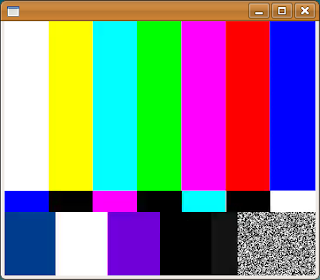
GStreamer is a library for constructing graphs of media-handling components. The applications it supports range from simple Ogg/Vorbis playback, audio/video streaming to complex audio (mixing) and video (non-linear editing) processing. GStreamer is released under the LGPL, so it can be used in commercial applications. The power of GStreamer is in its module infrastructure - you're working with certain "blocks", combine it with "pipes" and got results without any coding (via gst-launch utility). Of course, after playing with gst-launch you can write an application in any language you prefer (GStreamer supports various bindings and due to fact that GStreamer is written in C, I do not see any problems to bind it with an application that is developed in any serious programming language). I do not want to explain GStream basics, but move forward to the blog topic - creating videoconference application. If you want certain tutorial, please take a look to the P...